
The clinical photography platform, now with AI analysis
Your photo platform should work as hard as you do.
Standardize every photo, cut capture time by 53%, and close more consults with before-and-afters patients trust. Then put those photos to work with Loupe, AI analysis built into the platform you already use.
Plans from $180/month · 7-day free trial
- Less time on the photo workflow
- 53%
- Consult-to-procedure conversion
- 90%
- New equipment, photo room, or capital investment
- $0
Built at Vanderbilt Health. Trusted by clinical teams and integrated with the systems they already use.








One platform
Capture it right. Close the consult. See what changed.
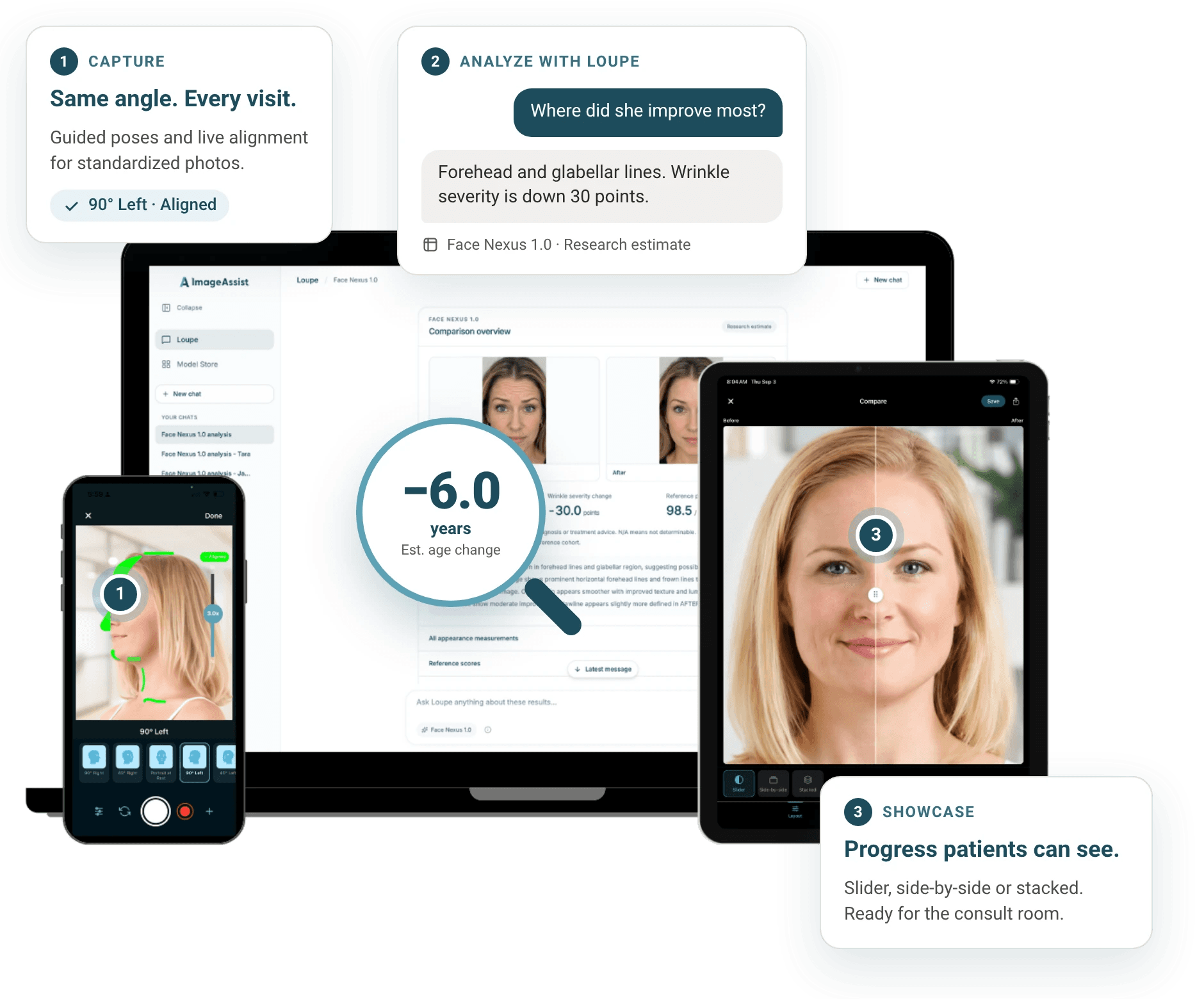
- Aligned
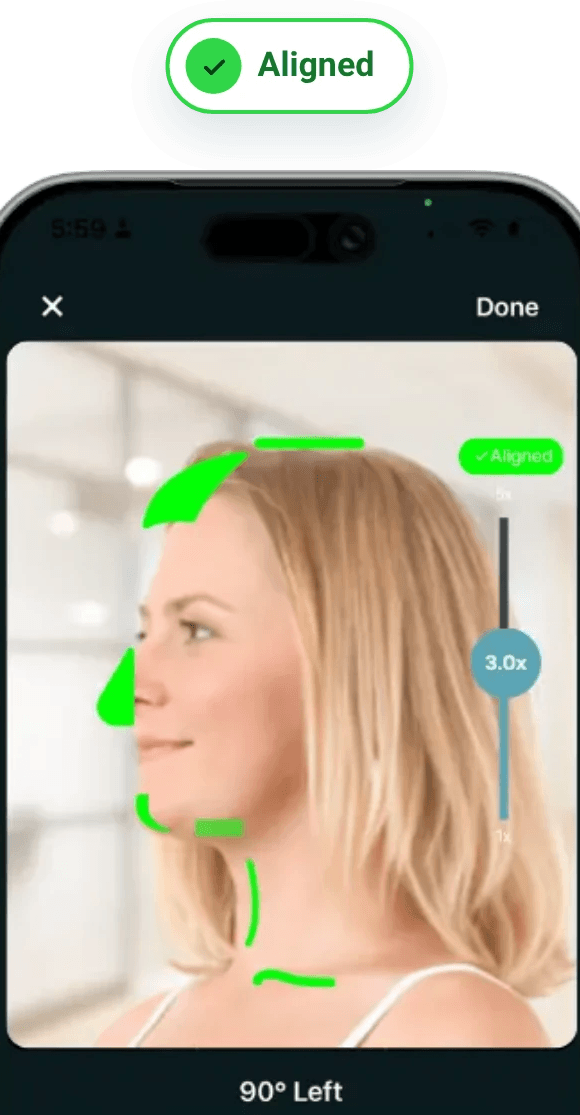
01Standardize
Every photo, standardized and in the chart
SmartGuides, automatic background removal, consent, and EMR filing. No photo room, no double entry.
See the platform → - Drag to compareAfter
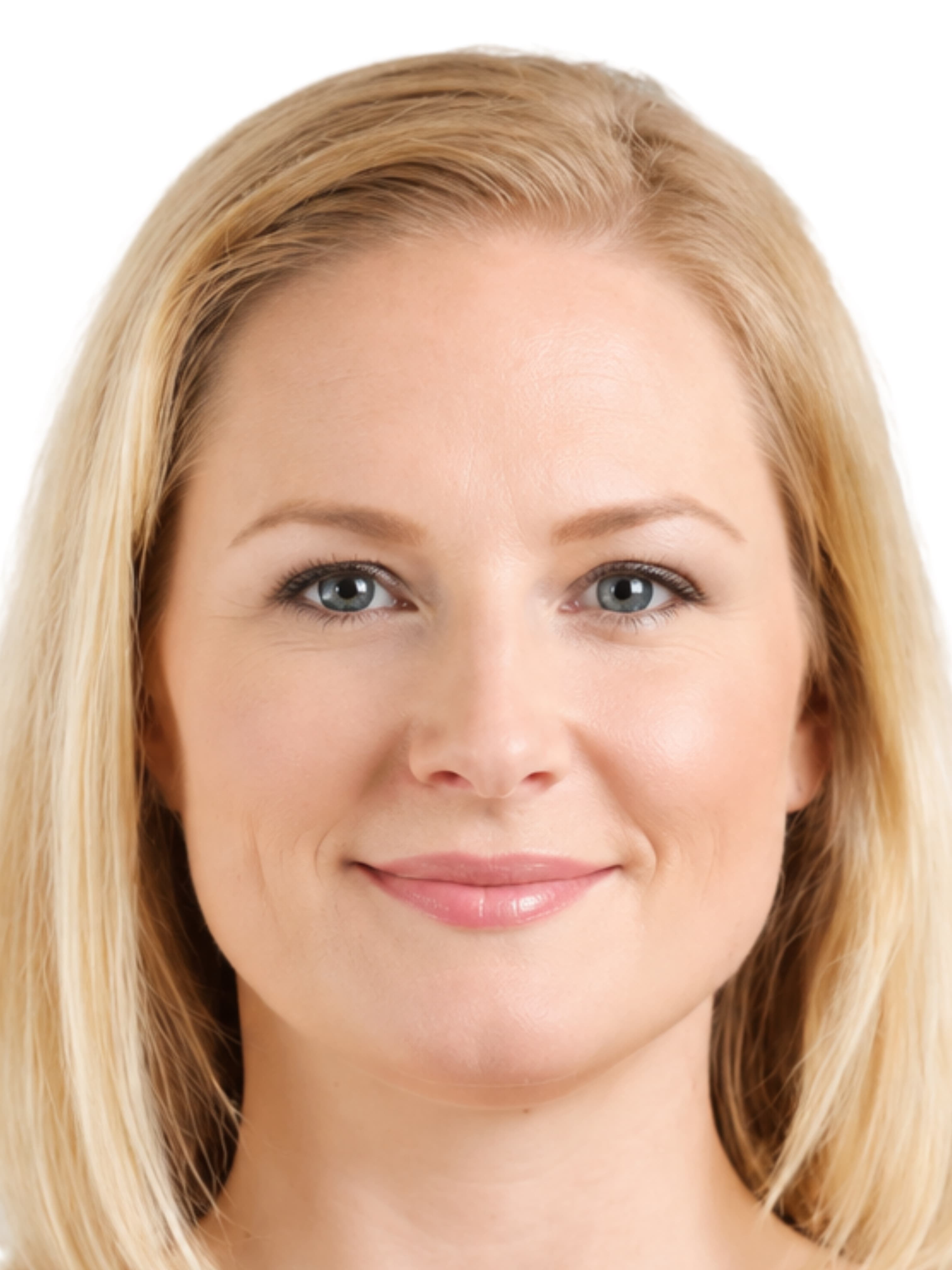
 Before
02Grow
Before-and-afters that close consults
Compare results in the room, then turn them into social-ready posts with the Image Editor and Canva.
See compare and share → - Face Nexus
−6.0yrs
Est. age change
−30pts
Wrinkle severity
03AnalyzeNew
AI that measures the change
Face Nexus measures how much a patient improved. Simulator shows them the result before they say yes.
Meet Loupe →
AI analysis and simulation
Prove the result. Preview the result.
Two AI tools built into ImageAssist and included with every subscription. They run on the photos you already capture, inside the same HIPAA-compliant environment. No exports, no second tool.
Show patients how much they've improved, in numbers.
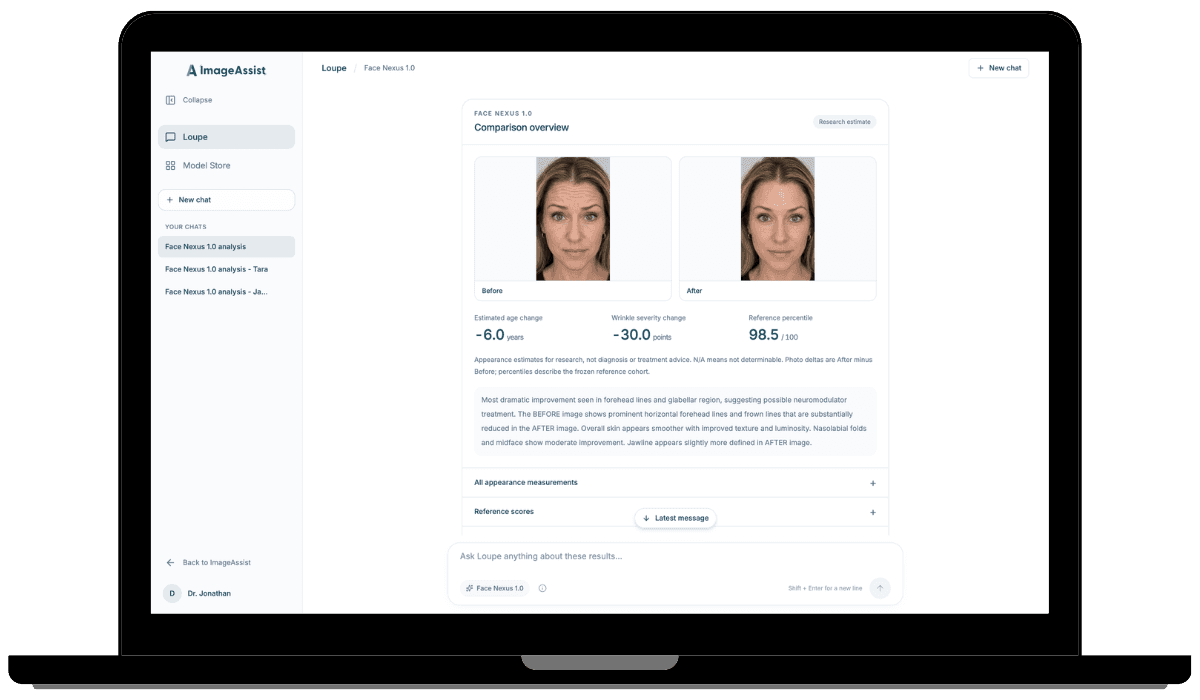
Face Nexus compares a before and an after and measures the change: estimated facial age, wrinkle severity, and where the result ranks against a reference group. Patients see proof, not just two photos.
- −6.0years
- Estimated age change
- −30points
- Wrinkle severity change
- 98.5/ 100
- Reference percentile
Example Face Nexus analysis
- Turn follow-ups into proof
- Put a number on every result, so patients see what their treatment did.
- Ask Loupe in plain language
- Ask about a patient, a session, or a tag. Loupe runs the right model.
- Saved to the chart
- Keep the comparison with the patient's record, ready for the next visit.
More in the Model Store: Cipher removes PHI from photos before they're shared for teaching or research. Build a model with us →
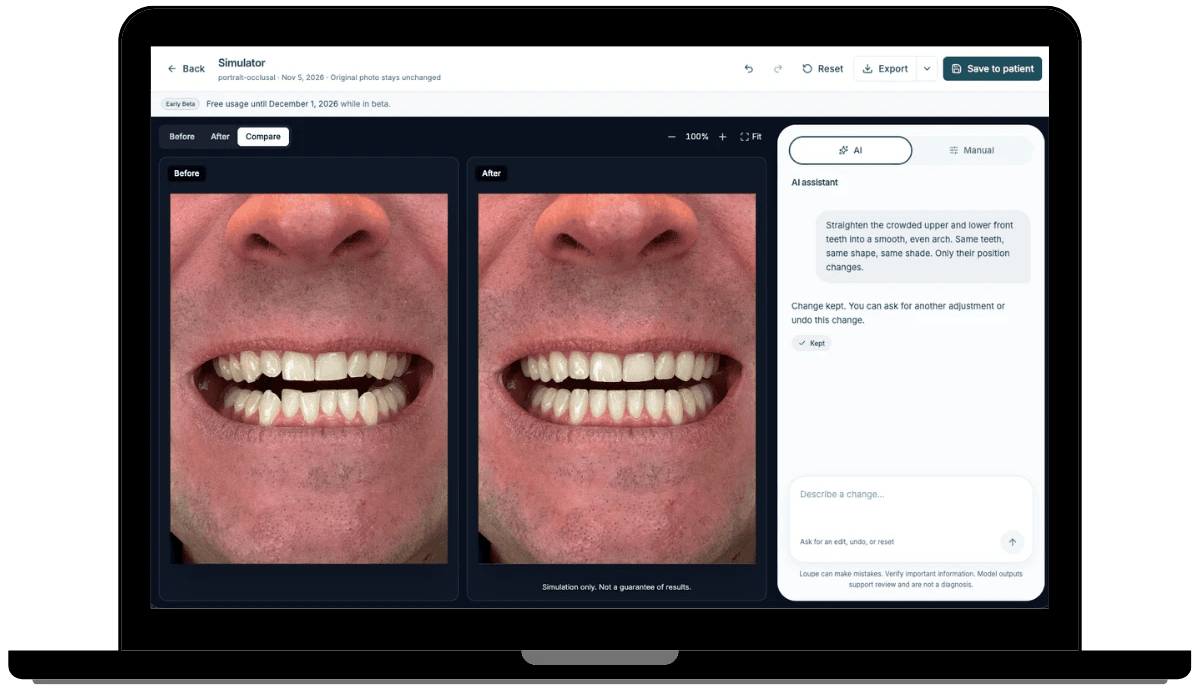
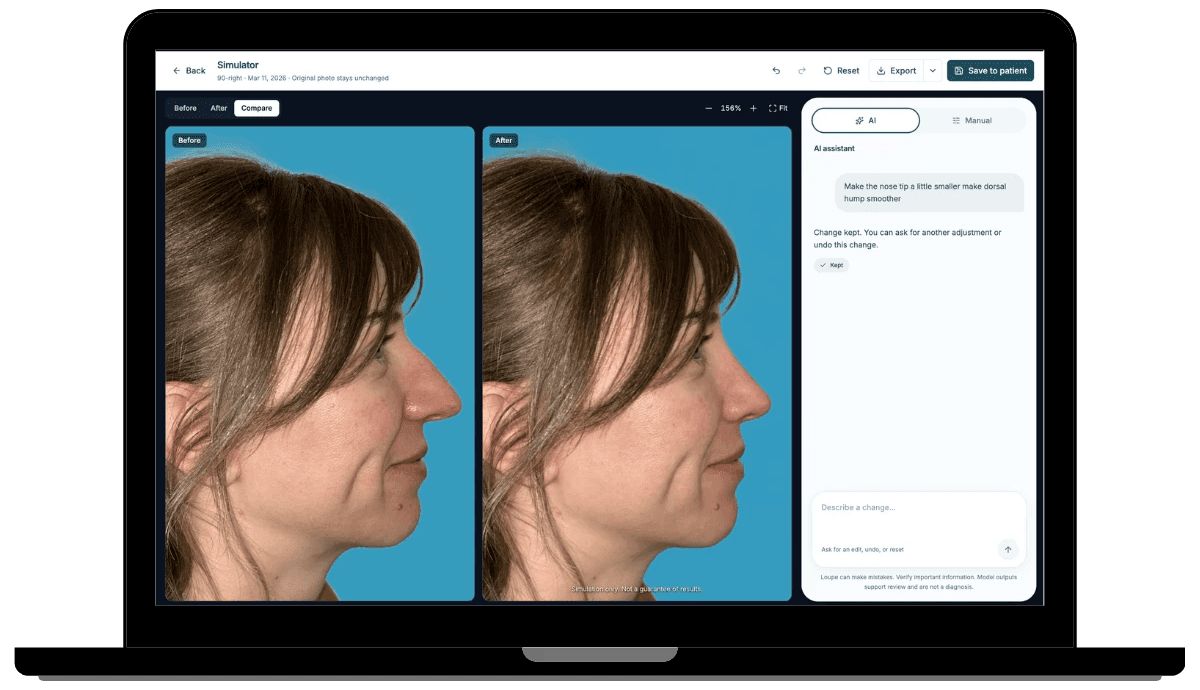
Show patients the result before they say yes.
Describe the change. Simulator shows it on the patient's own photo in seconds, right next to the original. When patients can see the goal, saying yes is easy.
Works for
- Cosmetic dermatology
- Dentistry
- Plastic surgery
- Weight loss
- Vein care
- Aesthetic medicine
- And more
Included with every ImageAssist subscription.
- Describe it, see it
- Type “make the nose tip a little smaller” or “straighten the crowded front teeth.” Simulator finds the area and makes the edit.
- Fine-tune by hand
- Switch to Manual for precise control. Undo, redo, or reset at any step.
- Saved to the chart
- Save the simulation to the patient record or export it. The original photo never changes.
From the clinicians who use it
Better photos. Better conversations.
“Unless your practice has a professional photographer this app is for you. All the guess work is taken out and the images are standardized and professional in quality. Its for my practice so all nurses and assistants can take publication quality photos!”
 Dr. Foad NahaiMetroDerm & Past President ISAPS
“ImageAssist has transformed how I capture consistent, professional before-and-after photos to document my clients’ corrective journeys.”
 Michele CrainFace Forward Correctives
“ImageAssist makes patient photos fast, professional, and HIPAA-compliant. It’s an essential tool for any oculoplastic practice.”
 Nicolas Biro, MDPacific Eye Institute
“ImageAssist is a game-changer for consistent, professional before-and-after photos. Easy to use, customizable, and essential for my practice.”
 Dr. Rahman BarryWake Plastic Surgery
“Our clinic nurses love ImageAssist. One of them said today how easy it is to capture consistent, uniform patient photos—it's made a big difference in our workflow.”
 Dr. Basil SchaheenNortheast Georgia Plastic Surgery
“ImageAssist was the clear choice for our practice. We needed a 4D EMR integration and fast uploads from inpatient and the OR. Now we skip the photo room entirely: wherever we are, high-quality photos go straight into 4D.”
 Dr. Christopher M. StewartStewart Center for Plastic Surgery and Hand
The core platform
The complete clinical photography workflow, in one platform.
From the first photo to the patient chart, ImageAssist covers every step: capture, organize, compare, share, integrate, and secure.
Capture standardized photos, every time
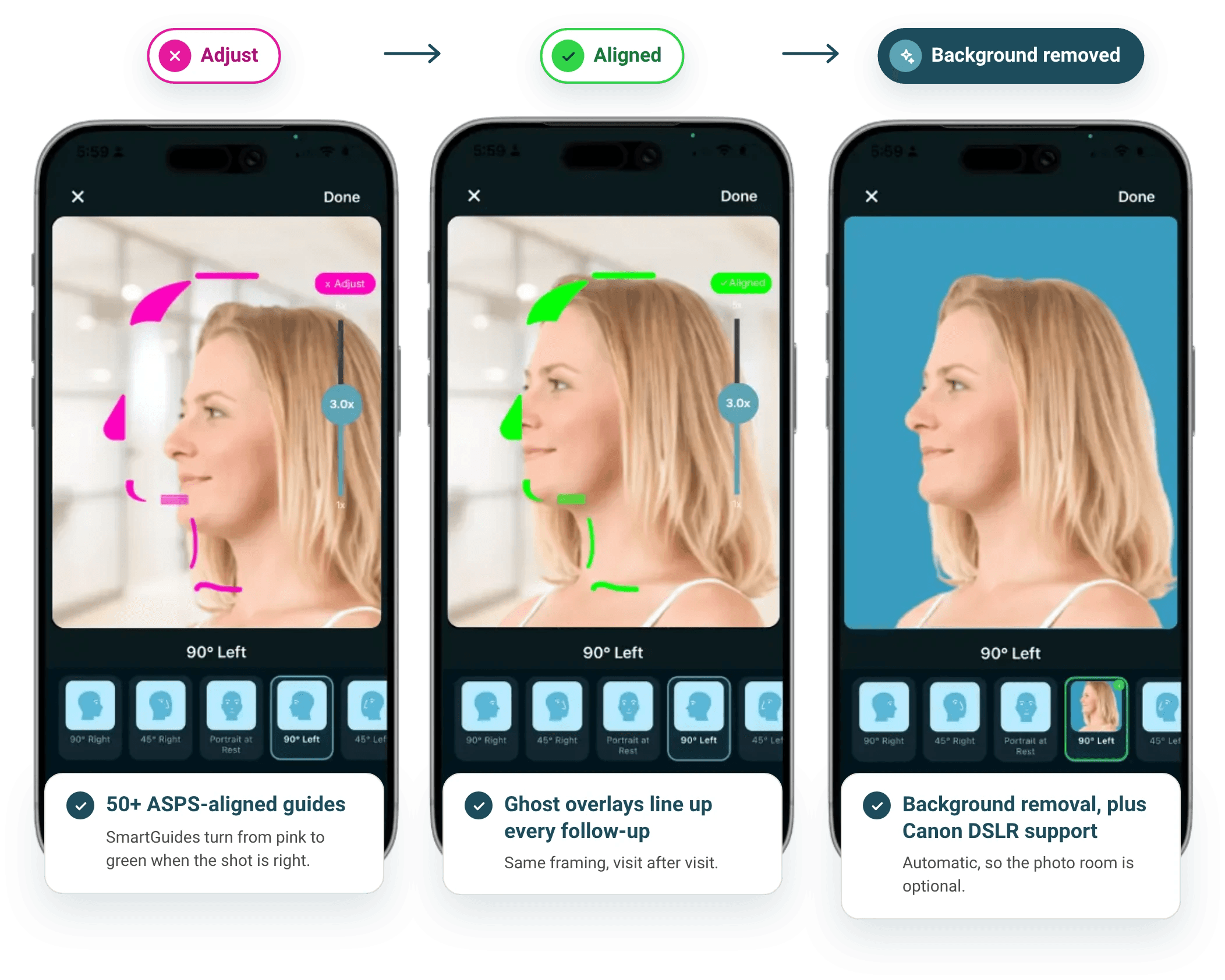
ASPS-aligned SmartGuides turn from pink to green when the shot is right. Ghost overlays line up follow-ups. Background removal is automatic, so the photo room is optional.
- 50+ ASPS-aligned guides
- Ghost overlays line up every follow-up
- Background removal, plus Canon DSLR support
Organize everything, find anything
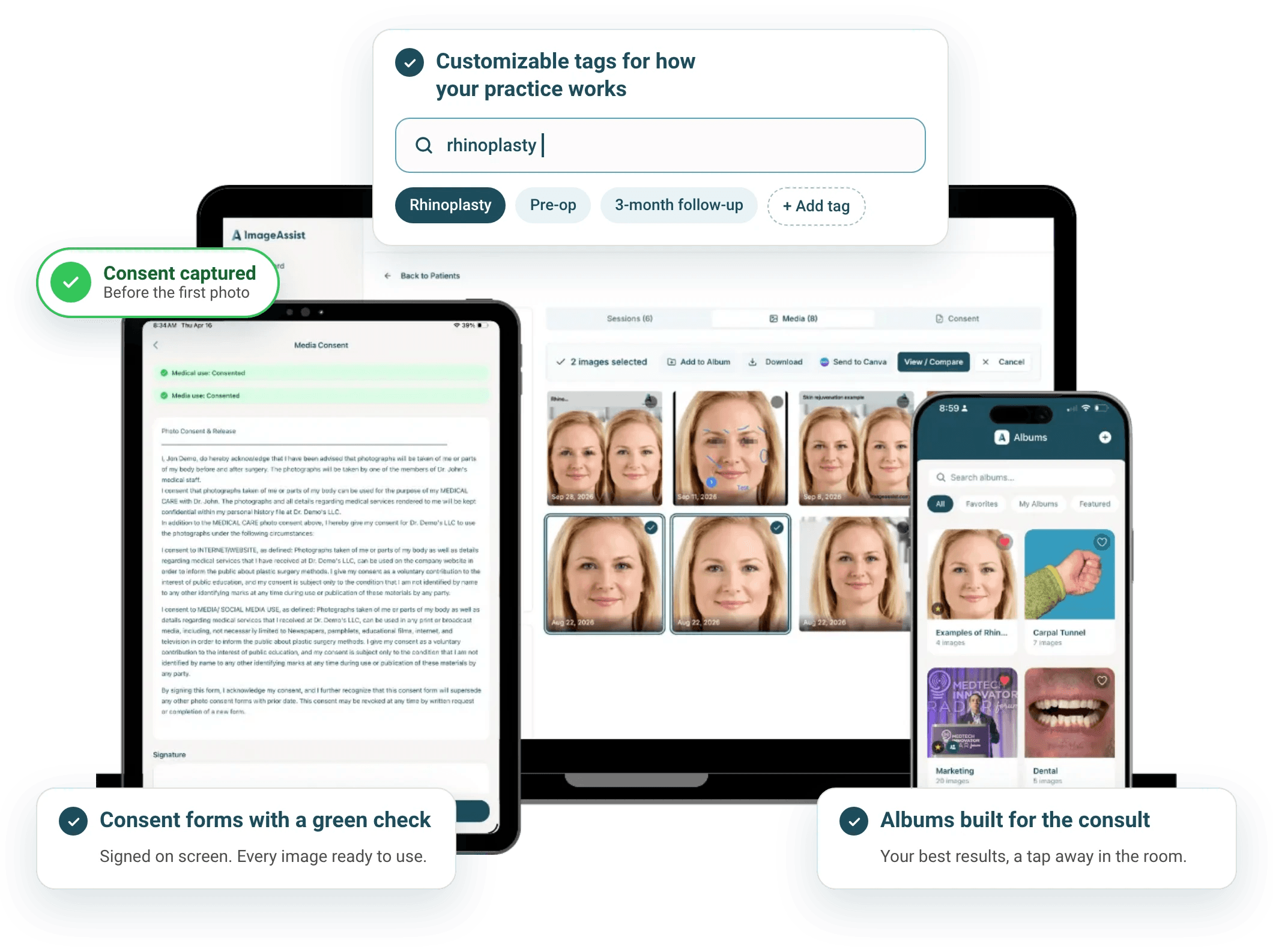
Tag it, album it, search it. Consent is captured on screen before the first photo, so every image is ready to use.
- Customizable tags for how your practice works
- Albums built for the consult
- Consent forms with a green check
Compare results and show progress
Build before-and-afters in the room, while the patient is looking at them. Drag the slider. Mark what matters. Blur what should stay private.
- Slider and side-by-side views
- Annotate with arrows, circles, numbers, and text
- Blur for de-identification
BeforeDrag to compare
Create social-ready assets
Finish a post in the Image Editor, inside a HIPAA-compliant environment. Or send to Canva in one tap and design in the tool your team already uses.
- Preset canvas sizes for every channel
- One-tap send to an ImageAssist folder in Canva
- Consent status stays visible on every patient

Integrate with your EMR
Your schedule syncs in. Patient search finds the chart. Photos file straight to it. Nobody retypes a thing.
- EMR integrations, and growing
- No double entry
- Photos filed directly to the patient chart
Secure by design
Patient photos belong in a system built for them, not on a personal phone. Admin controls and audit logs show who did what, and when.
- SOC 2 Type II and HIPAA compliant
- No patient photos on personal phones
- Governance controls and audit logging

Every photo is standardized, consented, and in the chart. That's what makes analysis possible.
See it in action
Watch ImageAssist at work.
Built by clinicians at Vanderbilt University Medical Center. See how teams capture, manage, and share standardized clinical photos.
Model and data partners
Build with us.
Our first partner models, Face Nexus and Cipher, are live in the Model Store today. Bring yours next.
- 1
Model partners
Put your model in front of clinicians
Publish your model in the Model Store and reach practices already capturing standardized photos, with no new workflow to adopt.
- 2
Data partners
Turn a photo library into a model
Have a well-documented photo library and an idea? We'll help you build it into something clinicians can use.
Pricing
Simple pricing, per provider.
Start today with no sales call. Priced by provider, not by staff login. Save 15% with annual billing.
Discounts for residents, global teams, and new practices
Residents and trainees, global surgery teams, and newly opened practices can qualify for special pricing.
Questions