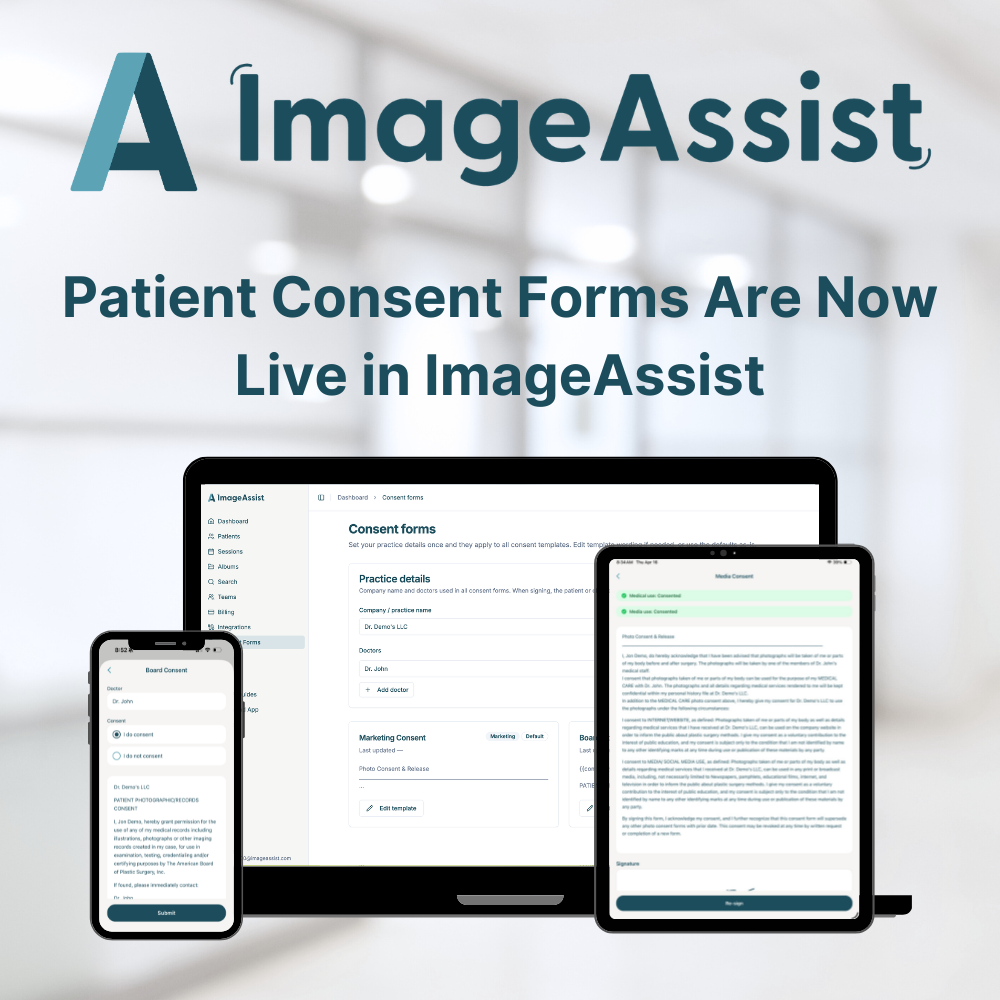
Patient Consent Forms Are Now Live in ImageAssist
Thu Apr 16 2026
ImageAssist's new consent form feature lets clinicians capture patient signatures on iPhone or iPad in the exam room — with separate medical and marketing consent, automatic PDF storage, and instant visual indicators showing which patients are cleared for marketing use.
Clinical photography is a critical part of your documentation — but until now, consent has been a separate, manual step. Paper forms get lost. Clipboards slow down exam room flow. And knowing which patients have authorized their photos for marketing has always required someone to remember or dig through files.
Today, that changes. Patient consent forms are now built directly into ImageAssist — so your team can capture consent, signatures, and photos in one seamless workflow, without ever leaving the app.
How It Works
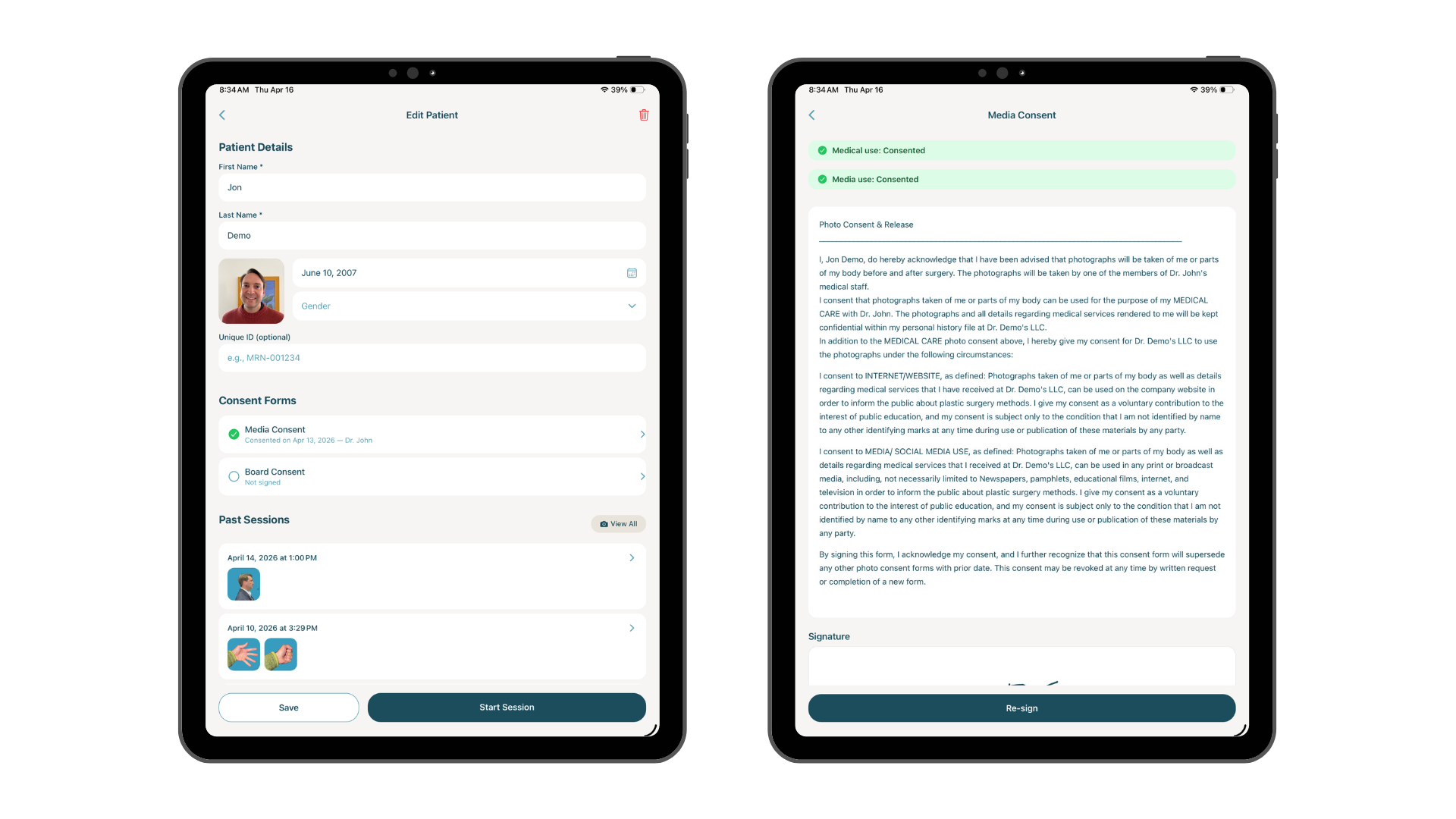
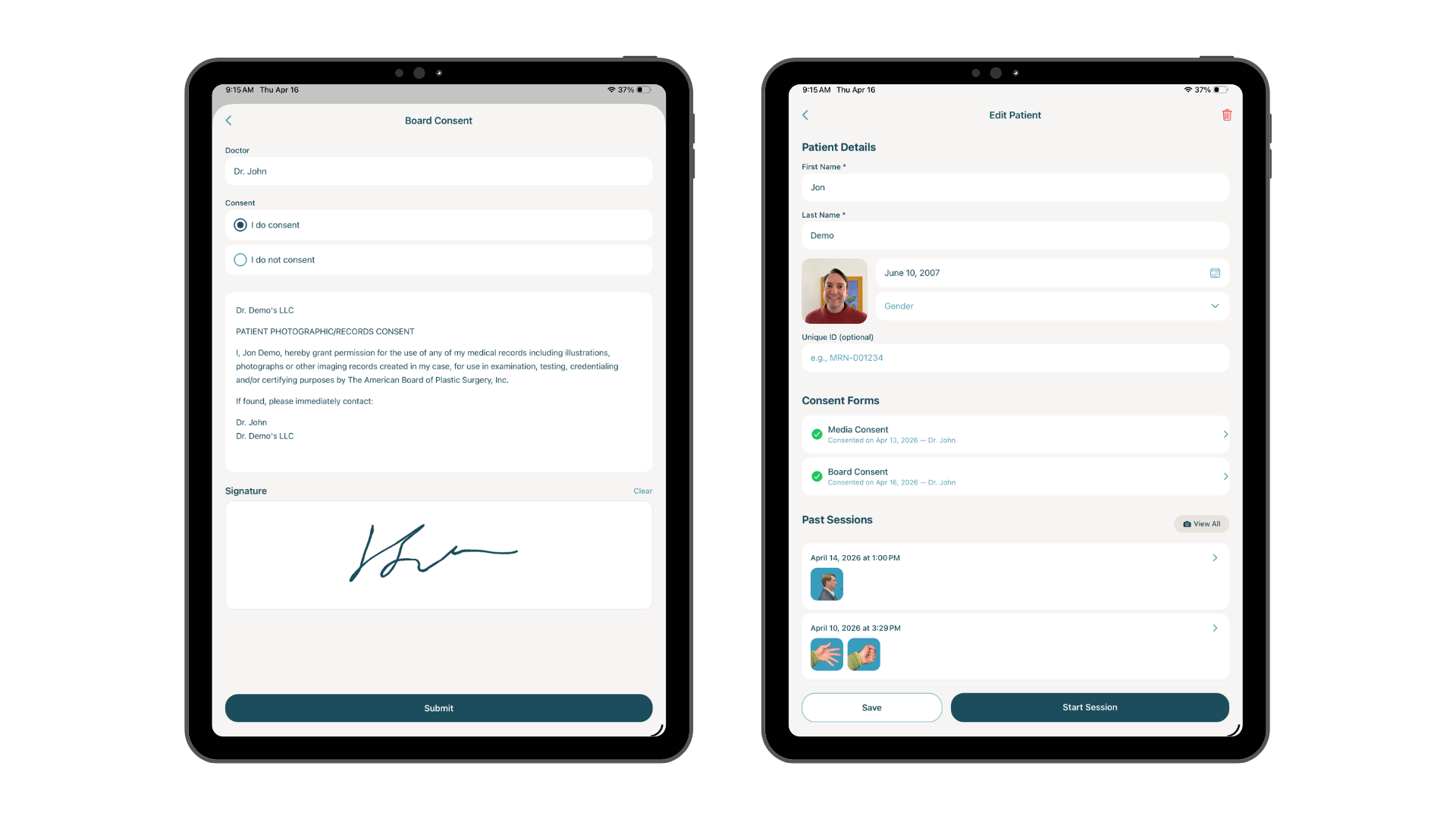
When a patient walks into the exam room, your clinician opens ImageAssist on their iPhone or iPad, selects the patient, and taps to open the consent form. The patient reviews the form, checks the appropriate consent boxes, and signs directly on screen. The signed form is immediately saved as a PDF to the patient's file.
No paper. No scanning. No separate filing system. The entire consent workflow lives alongside the patient's photos — exactly where it belongs.
Two Types of Consent, Clearly Separated
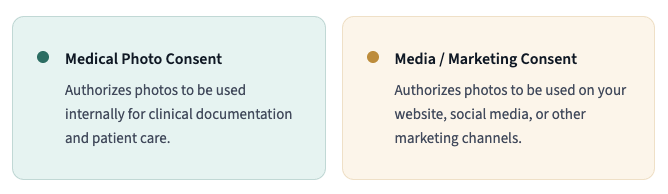
Not all consent is the same. ImageAssist captures two distinct consent types so your team always knows exactly what each patient has authorized:
Instant Visual Status on Every Patient Profile
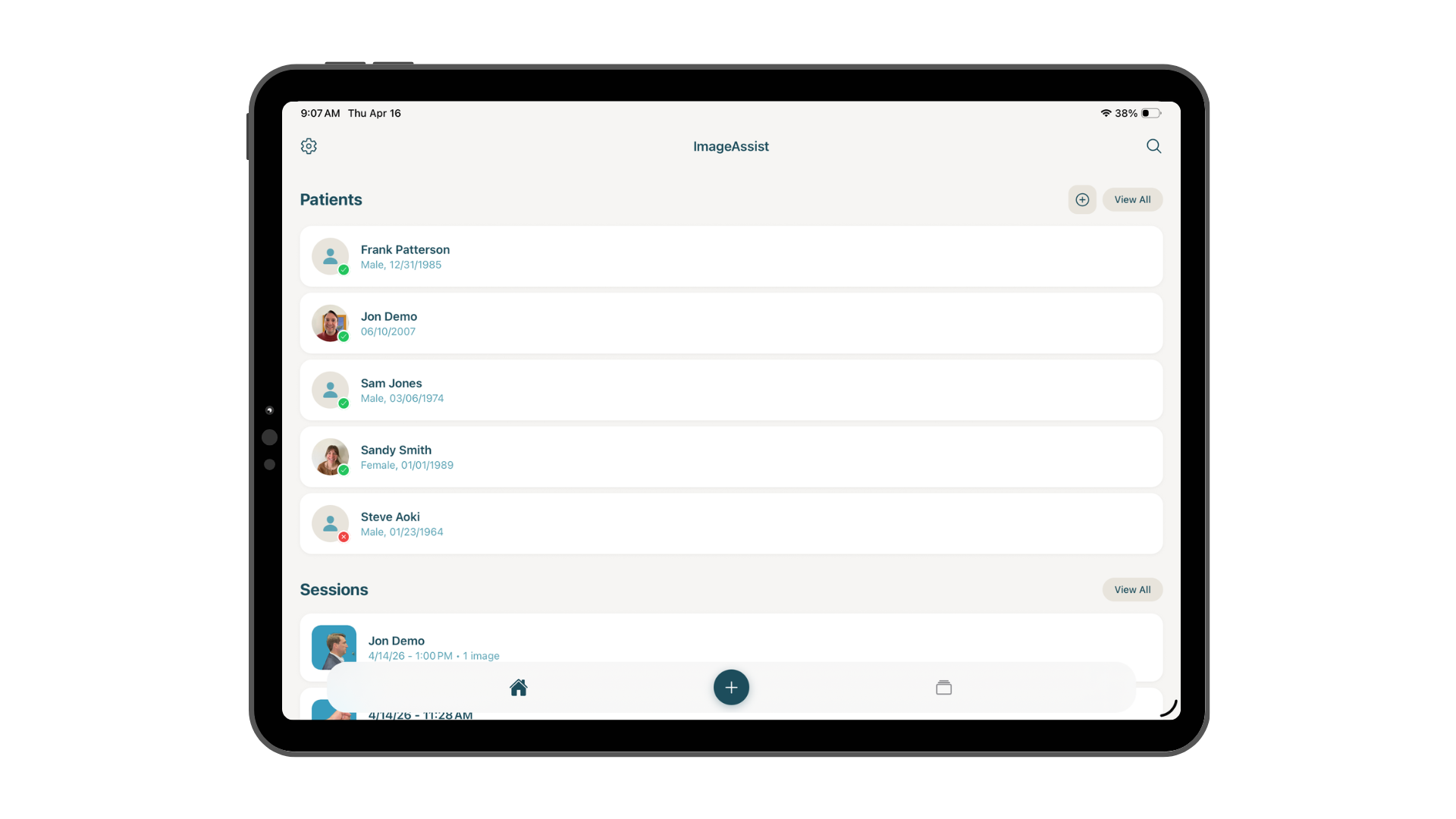
Once a patient completes the form, their profile automatically updates with a visual consent indicator — so your entire team always knows at a glance what's authorized:
No more hunting through paper files or asking a colleague. The consent status is visible the moment you open the patient's profile.
Customizable Forms — Your Brand, Your Language
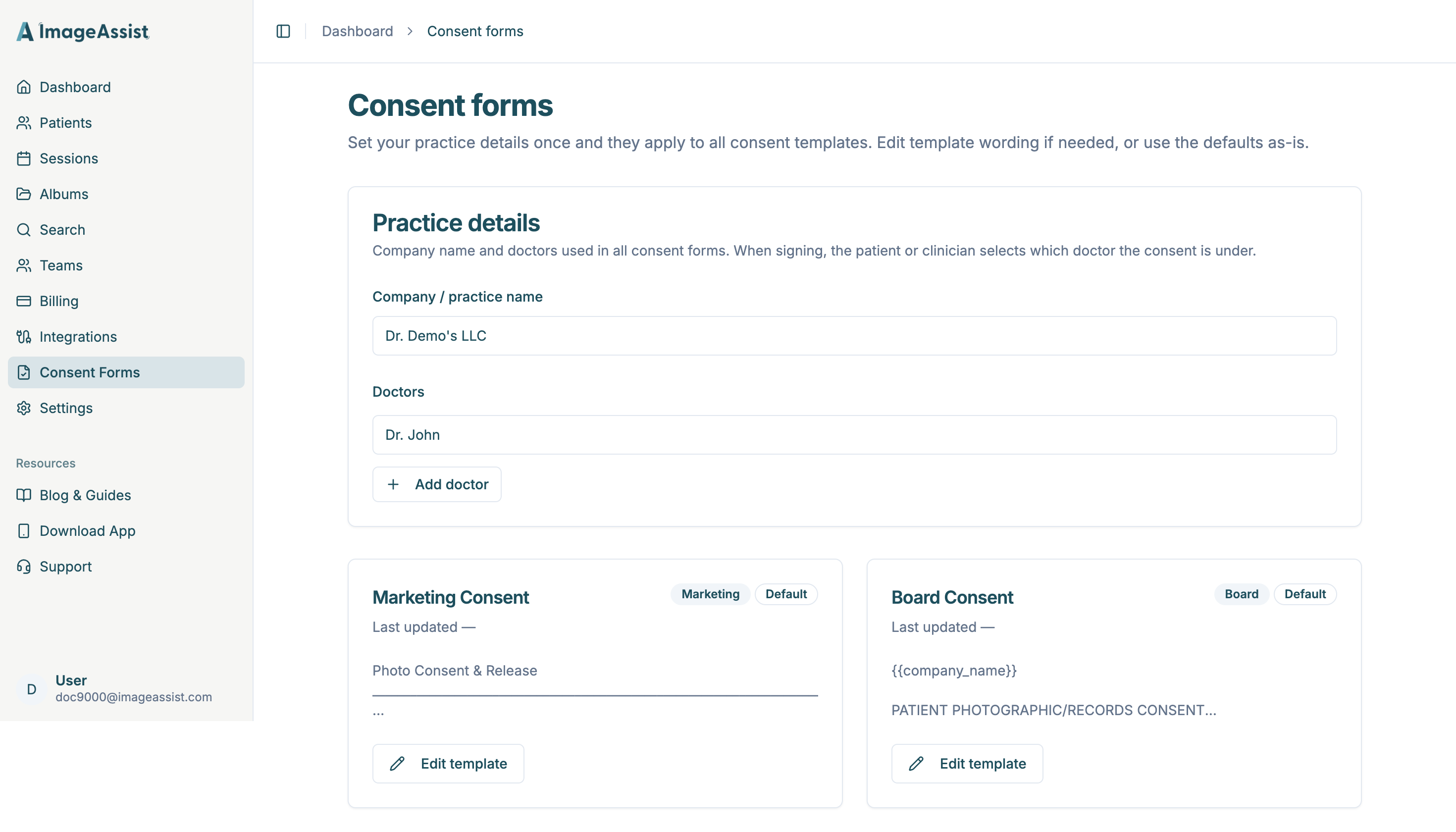
ImageAssist ships with a professional general consent template that's ready to use out of the box. But every practice is different. You can fully customize the form language, add your practice name and branding, or tailor the wording to match how your team communicates with patients — all from the ImageAssist web app.
For Surgeons & Trainees
A Dedicated Consent Form for Board Photo Submissions
We built something special for surgical residents, fellows, and attendees preparing board submissions. ImageAssist now includes a dedicated board photo consent form — purpose-built to help you gather proper consent, capture board-quality standardized photos, and keep everything organized and HIPAA-compliant in one place. No more juggling paper forms and separate photo files the night before a submission deadline.
Why This Matters for Your Practice
- Streamlined workflow — Consent happens in the exam room, in the same app, at the same moment as photo capture. No separate step, no extra friction.
- Legal protection — Every signed consent form is saved as a PDF and stored permanently in the patient record. You always have documentation.
- Go paperless — Eliminate paper consent forms, clipboards, and manual filing entirely.
- Marketing clarity — Your front desk and marketing team instantly know which patients have authorized their photos for external use — no guessing, no risk.
- Clinical organization — Photos and consent live together in one patient record, not across multiple systems.
Ready to go paperless on consent?
Patient consent forms are available now for all ImageAssist users. Log in to the web app to customize your template, or open the iOS app to start capturing consent in your next exam.